Doc Locker – Secure Document Protection & Access Management Platform
Transforming Complex Document Security into a Seamless User Experience.
Timeline
Feb 2025 – Dec 2025
Role
Team
Embedded with 1 PM + 4 engineers
Tools
Figma, Miro, Notion, Jira
Problem
The challenge.
Organizations handling confidential documents often struggle with fragmented document management systems that lack granular access control and visibility into document activity. Administrators face difficulties in controlling who can view, download, print, or share sensitive files, increasing the risk of unauthorized access and data breaches. Existing solutions prioritize security but often create complex workflows that negatively impact usability
Solution
What I delivered.
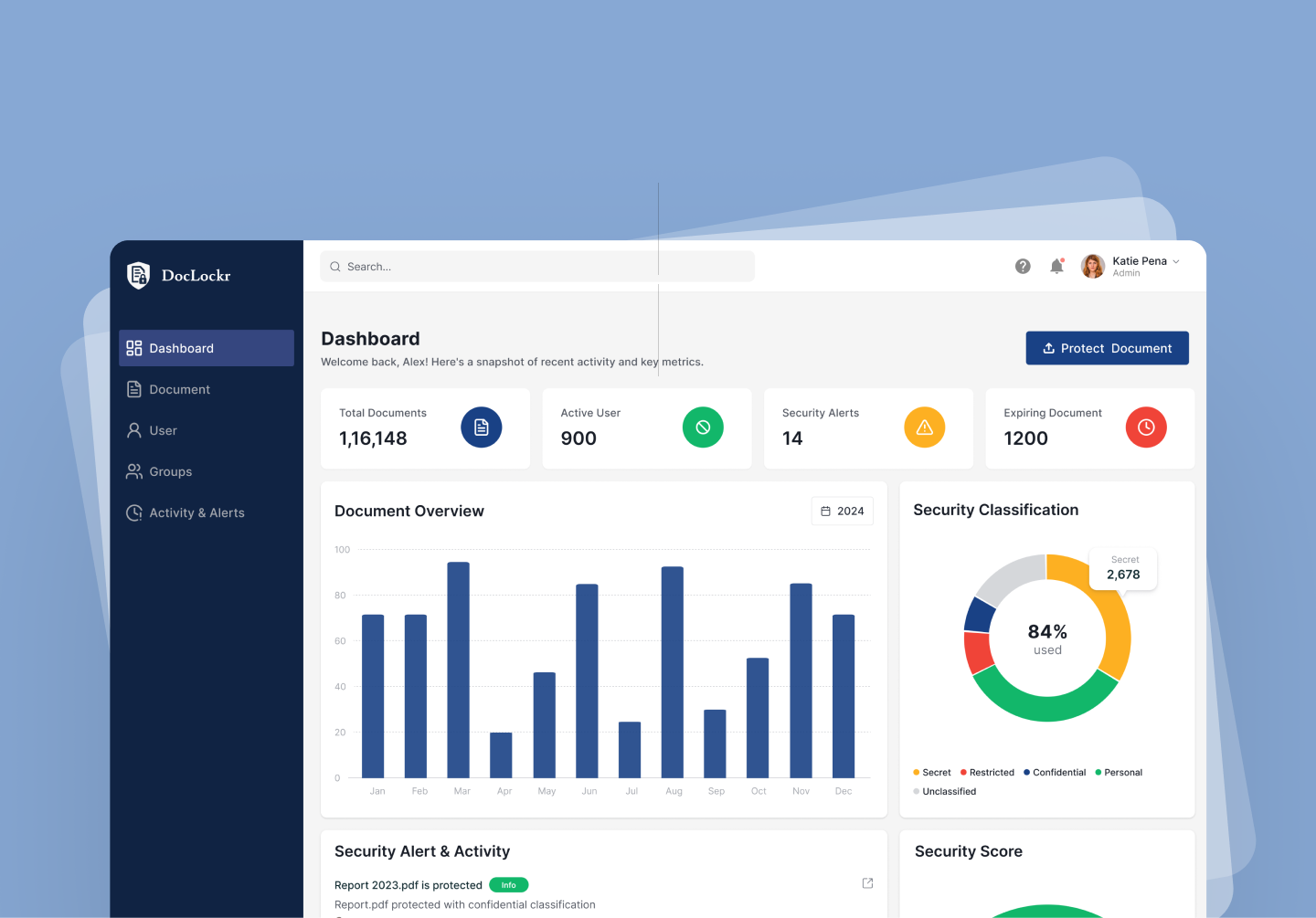
Doc Locker is a secure document protection and access management platform that enables organizations to upload, encrypt, classify, and manage sensitive documents from a centralized system. The solution provides role-based access control, real-time activity monitoring, security alerts, and flexible permission management, allowing administrators to maintain complete control while ensuring a seamless user experience.
Process
How I worked through it.
Research & Discovery
Conducted surveys and gathered insights from enterprise users, IT administrators, managers, and decision-makers to understand security concerns, document-sharing behaviors, and permission management challenges.
Identifying User Needs
Analyzed research findings to uncover key pain points, including the need for stronger access control, simplified permission management, and better visibility into document activity and security status.
Mapping the User Experience
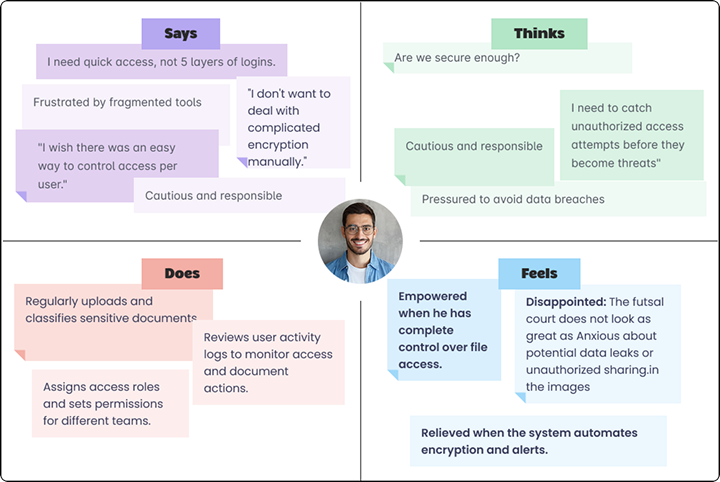
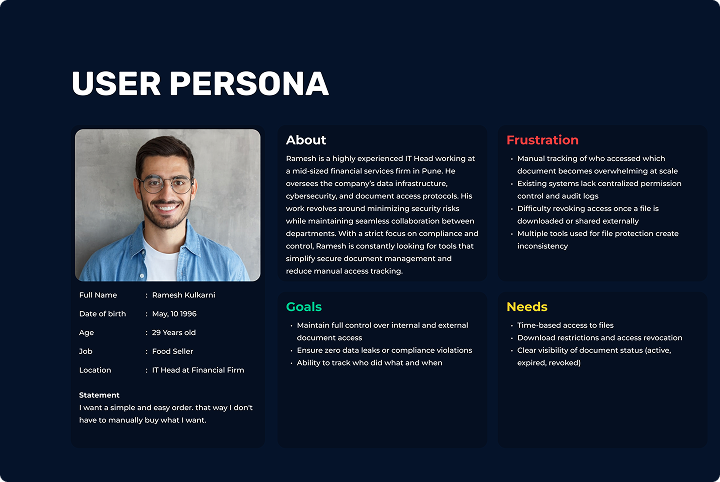
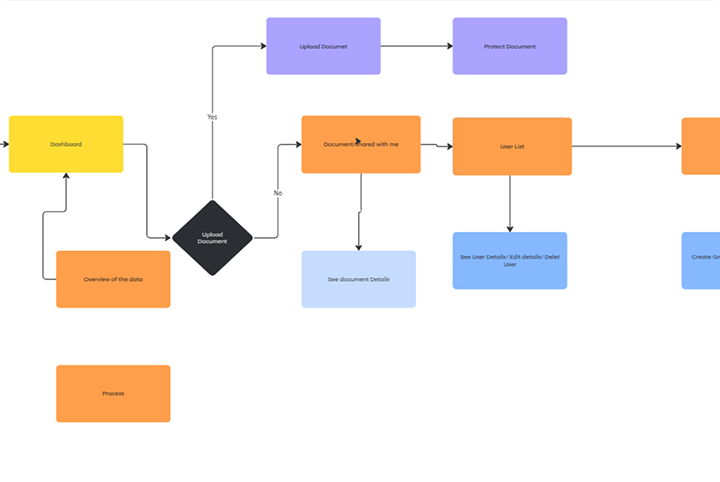
Created user personas, journey maps, and user flows to visualize user goals, behaviors, and interactions. This helped identify opportunities to simplify complex security workflows and reduce friction.
Designing the Solution
Developed low-fidelity wireframes to establish information architecture, content hierarchy, and navigation patterns. Iterated on layouts based on business requirements and user expectations.
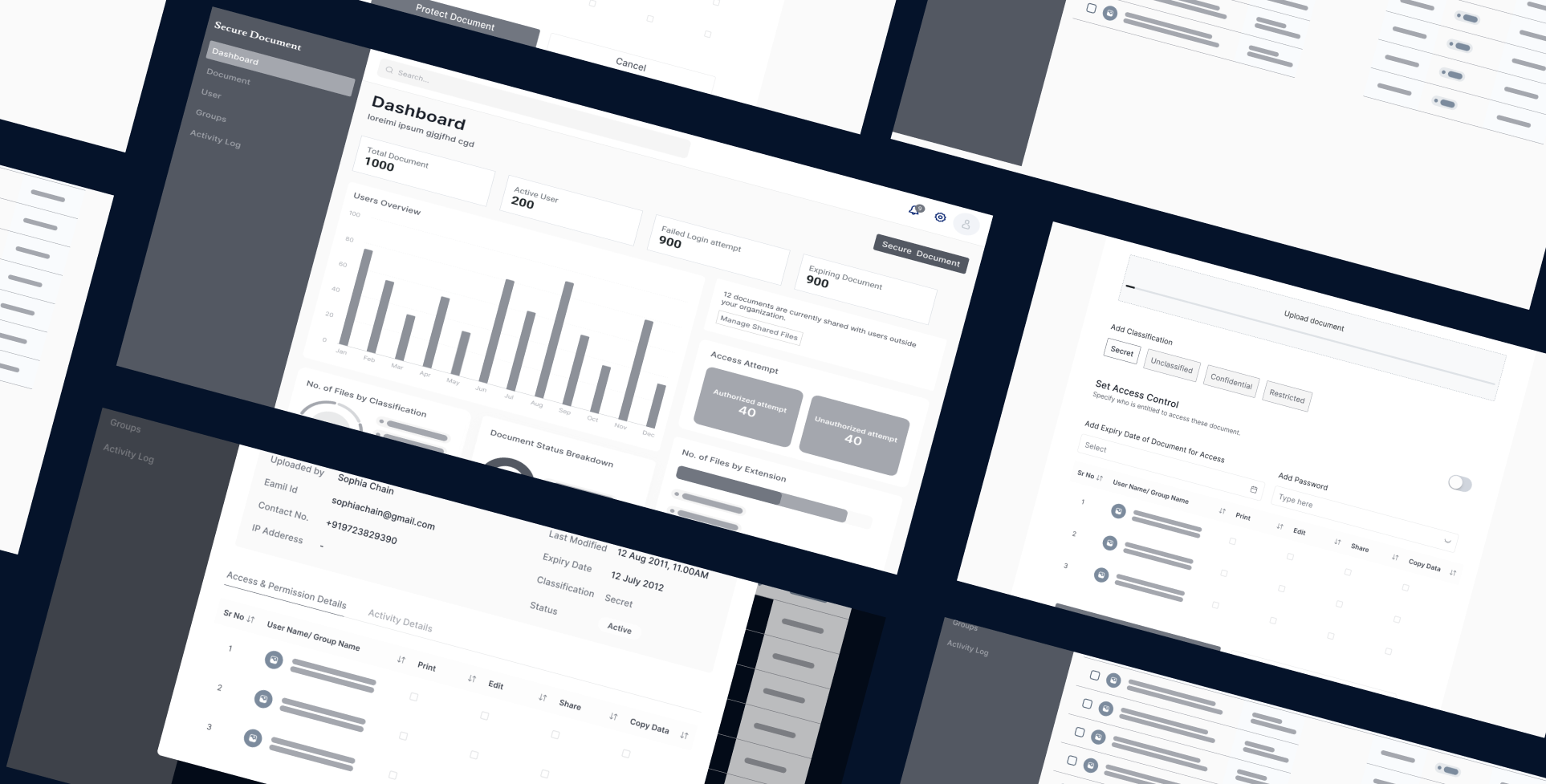
Building the Interface
Designed high-fidelity screens and a scalable design system covering document management, user management, access control, activity monitoring, and security alerts while maintaining consistency and usability.
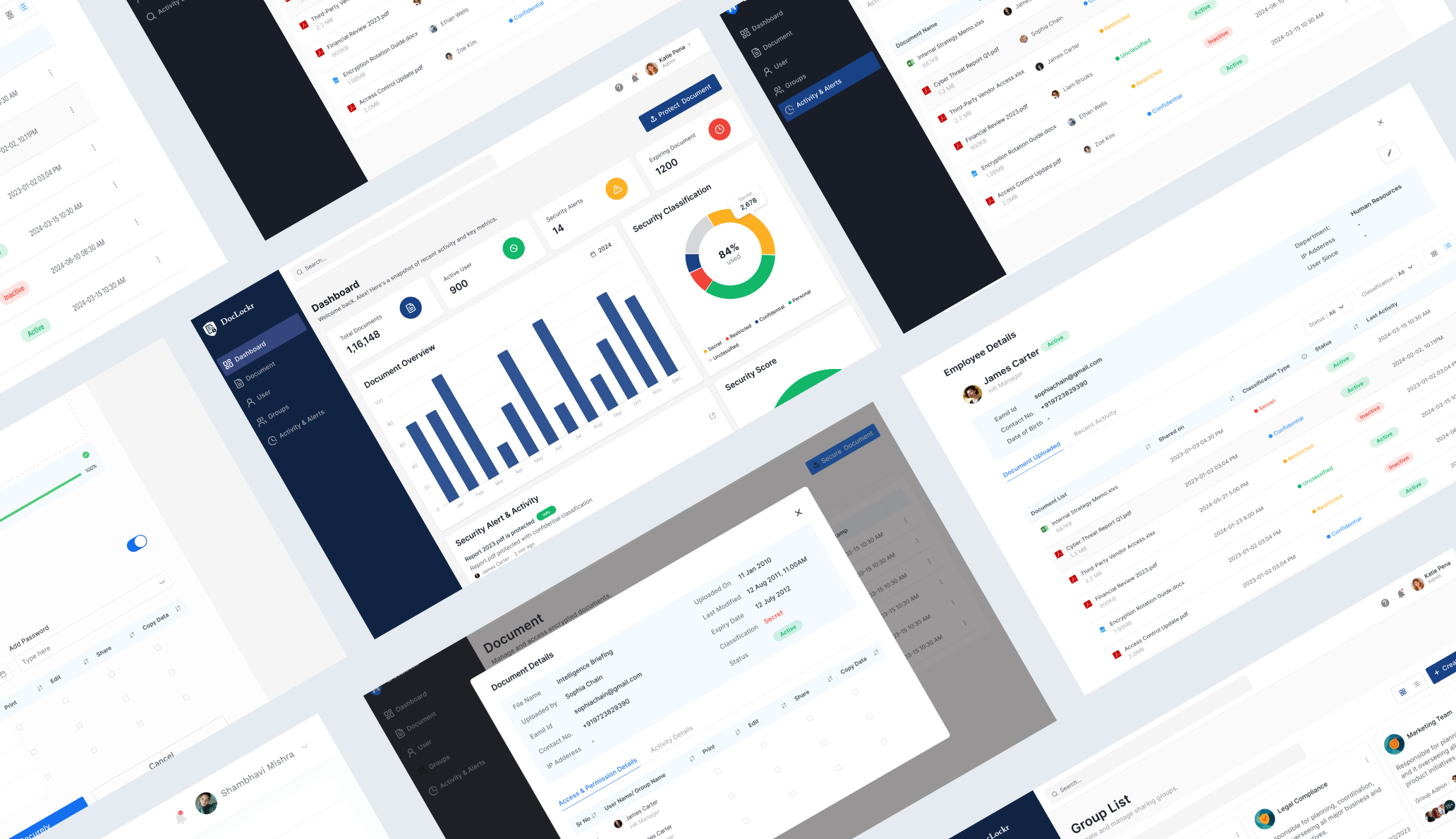
HandOff & Iteration
The solution was continuously refined to improve usability, simplify access-control workflows, and enhance overall clarity. By iterating on layouts, navigation, and permission management flows, the experience became more intuitive and efficient for users. Final designs were handed off with detailed specifications, design system components, and interaction guidelines, enabling smooth collaboration with developers and consistent implementation across the platform.
Reflection & Learnings
Looking back.
Designing Doc Locker strengthened my understanding of enterprise UX and the challenges of creating secure yet user-friendly experiences. One of the key learnings from this project was balancing complex permission-based workflows with simplicity and usability. Through user research and iterative design, I learned the importance of aligning security requirements with user mental models to reduce confusion and improve efficiency. The project also enhanced my skills in information architecture, access-control design, and designing scalable systems that support both business goals and user needs.
Next case study
HRCDF – Centralized Employee Data Management Platform